Try Lean online
The Lean Playground runs in your browser, no installation needed. Open the Playground.
Install Lean locally
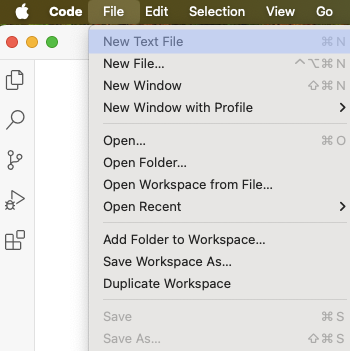
The recommended way to install Lean is through VS Code and the Lean 4 VS Code extension, which provides a rich development environment for Lean: syntax highlighting, code completion, and Lean itself, installed the first time you open a Lean file. For alternative methods see the manual installation steps.
Create a new project
In VS Code: Open the Command Palette with Ctrl+Shift+P / Cmd+Shift+P, or through View > Command Palette..., type lean project standalone, and select the resulting Lean 4: Project: Create Standalone Project....
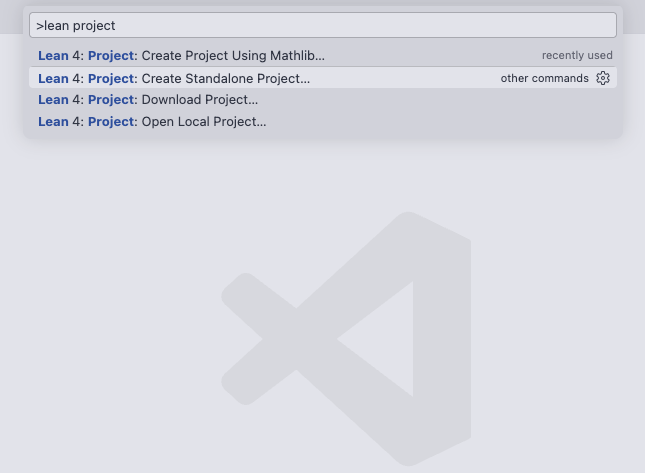
Name the project hello-lean and open it when prompted. Key project files will be set up as follows:
hello-lean
├╴HelloLean
│ └╴Basic.lean
├╴HelloLean.lean
└╴Main.lean
The project contains a short “hello world” program:
/-- HelloLean/Basic.lean -/
def hello := "world"

/-- Main.lean -/
def main : IO Unit :=
  IO.println s!"Hello, {hello}!"
Click on any line of code in a .lean file to see resulting messages in the Lean InfoView. No errors or warnings means Lean has been installed successfully.
Lean projects are built and run with Lake, Lean’s build tool, which came with your installation. You can run the "hello world" program from the project directory:
❯ lake exe hello-lean
Hello, world!
Write your first proof
In the hello-lean project, create a file called HelloLean/Proof.lean and enter the snippets below, saving after each one to see the result in the InfoView. The InfoView shows the goal Lean is working on; hovering over a tactic here on the page shows the same thing. You can also open any snippet below in the Playground to run it in your browser.
Start by defining sum, a function that adds up the elements of an array. An array is a collection of values you can index into, like #[1, 2, 3, 4]. The work is done by foldl, which walks the array from left to right keeping a running total, starting here at 0. The (· + ·) is short for fun x y => x + y, the function that adds two numbers. So far this is an ordinary program, and #eval runs it on one input.
/-- The sum of an array of natural numbers. -/
def sum (a : Array Nat) : Nat :=
a.foldl (· + ·) 0
#eval sum #[1, 2, 3, 4] -- 10
What we want to know about sum is that it behaves the way its name promises: build an array up one element at a time, and the total should grow by exactly the element you added. A test would confirm that for the arrays you thought to try, but a theorem confirms it for all of them.
The name sum_push is ours to choose; the convention is to describe what the statement is about. The parentheses declare an array a and a number x, each with its type after a colon. The final colon introduces the claim: pushing x onto a gives the same total as summing a and adding x. Everything after by is the proof. Since a and x stand for any array and any number, one proof covers every case.
theorem sum_push (a : Array Nat) (x : Nat) :
sum (a.push x) = sum a + x := a:Array Natx:Nat⊢ sum (a.push x) = sum a + x
All goals completed! 🐙
In the proof, simp ("simplify") rewrites both sides using facts the library has already proved, and finishes the proof when they come out the same. The library knows about foldl and push, not about sum, so we pass [sum] to let simp unfold the definition.
The proof is shorter than the definition because the real work has already been done by whoever proved how foldl and push fit together. Building on results you didn't prove yourself, with a machine checking you used them correctly, is most of what working in Lean feels like.